
We all have experienced it. The WiFi connection drops during the most important online meeting of the year — and this is after investing in the most expensive router you could find at Best Buy. Like many businesses, your WiFi sucks. Here are the likely reasons and what to do about it.
Your neighbors: Imagine you go to a dinner party. As the night progresses, more people show up and the wine flows. The room fills up and the noise levels rise. After a while, you can hardly hear the person right next to you. This is happening in most commercial buildings all over the world right now for WiFi.
Most wireless networks are set up in the 2.4-gigahertz spectrum. This spectrum is like an overcrowded three-lane highway for data. Your neighbors could be in the same lane as you are. Or you could be trying to squeeze between the three lanes. This will result in poor performance. If you notice that your WiFi suddenly gets bad, it could be that a neighbor made a change to their network that has affected your network.
Ideally, businesses would join forces in an office building and create one high-quality WiFi network that everyone can use. With modern access points, it’s possible to create multiple wireless networks with the same device. This would remove all interference. Then we would all sing “Kumbaya.”
This problem is so ubiquitous that most enterprise-grade WiFi hardware have a feature that can take down rogue WiFi hardware. This is considered “rogue access point containment.” In other words, if you set up a WiFi device that interferes with mine, mine will shut yours down. This is radio frequency war.
The 5-Ghz spectrum is like an unknown highway with no traffic. Most higher-end WiFi devices support dual channels. This means they can create both 2.4-Ghz and 5-Ghz networks. With this feature, users have the flexibility to switch between networks if performance is compromised. Not all devices will work on the 5-Ghz spectrum, so it’s good to also have the 2.4-Ghz network option for them.
Other electronics: Microwave ovens and cordless phones are classic causes of 2.4-Ghz interference. Newer devices are more effective at keeping their transmissions from bleeding into the WiFi range, but if your neighbor has older devices that do not abide by the rules of “stay in your lane,” you could have problems. Either ditch the cordless or upgrade to a new model. Keep the microwave away from your networking equipment.
Outdated firmware: Just like a computer, networking equipment requires updating. These updates can introduce new features to your hardware to increase the quality of the network services. Start with this step before going down the path of replacing older gear.
Old routers: WiFi technology has gotten significantly better in the past few years. Features such as Airtime Fairness and dual-band networking dramatically increase the stability of the signal. Settings are important. A lower-quality WiFi unit, properly tuned will function better than a high-end unit with a low-quality installation.
Checking for channel interference is important when setting up new devices, so work with a professional on the setup. Many of these WiFi units have easy to use management panels that you might want to use yourself. Get a lesson from your IT professional and see what you’re comfortable with. It’s neat to see all of the devices connected to each unit. From there, it’s easier to understand why you are experiencing performance issues.
In the end, your network experience always will be better when plugged directly into the switch. WiFi still is evolving and is never going to be as stable as a wire. If you’re going to work in the same place consistently, then have it cabled. It’ll increase your productivity and rule out WiFi frustrations.
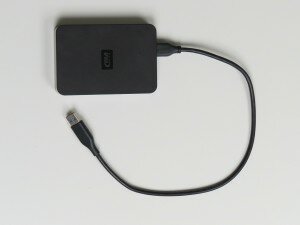 Purchase a USB drive, or an external hard drive that’s easy to use. Simply plug the device into your PC or Mac; identify which files and folders to backup; and start the backup process. It’s important to note that not all USB drives are created equal, so be sure to do your research and find a quality option that features plenty of storage space. USB drives are one of your ‘local’ backup options that allow you to store your data, take it with you, or stow away for safekeeping.
 Create a cloud backup, which stores your files online and allows you to access them anytime, anywhere. Password creation is generally part of the process to keep your files secure. Cloud backup is celebrated as one of the most secure and easily accessible (accessible to you, that is) methods available, but it generally requires paying for a subscription. A subscription isn’t the worst thing when it comes to data backup, however. According to
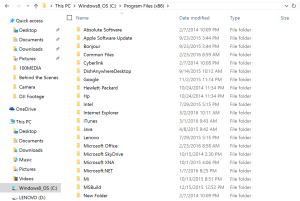 Remember, whatever backup means you select, it’s important to stay organized. If you consistently keep your files and data well ordered, you’ll know exactly what requires recovery and can easily put items back where they belong.
 Successful implementation is all about work/life integration, something that’s replaced the traditional work/life balance. Employees are increasingly put off by the idea of “trudging” to work every day and getting their hours in. Today’s employees want and expect to be as engaged in their work lives as they are in the personal lives, and employers are doing their best to keep up.
 The obvious benefits of a wireless network is the lack of physical wires! We all know that familiar feeling of waging war with a tangled mess of wires. A wireless network is easy to use and accommodates changes in a network without cords and cables. Adding new desks and employees? A wireless network is the easiest logistical choice.
 A wired network obviously incorporates physical network into the data connection. The wires enable increased security, control, reliability, and speed. Using physical connections might not seem as advances as the wireless alternative, but it is the superior choice when your data is precious and confidential. If your business values security over hip trends in tech, a wireless network is the obvious choice.