
Internet is internet, right? Not at all. We are presented so many options as businesses from Internet Service Providers (ISP’s), but it’s hard to figure out which solution is the best fit for my business.
Take the time to understand and weigh Internet connection options and services to keep business activities focused and on-task, for the long term. Let’s have a look at a couple of popular Internet service options that will keep your company up and running.
T1 Line
The T-carrier system was introduced in the 1960s by the telephone service company, the Bell System, and was the first to support digital voice transmission. The T1 line, part of the T-carrier system, was the original. T1 lines are used today by ISP’s to support businesses that need reliable and low latency online connection.
A T1 line for a business simply means that the phone company has installed a fiber optic line (sometimes it is copper) into the office that is connected directly to the phone company’s central office, then to an ISP. These lines are dedicated and not shared by other users, making them very reliable. T1 lines can be used to transmit 24 digitized voice channels (when connected to an office phone system) or carry 1.544 million bits per second (Mbps) of data (when plugged into the office network router).
Some companies require more than one T1 line. If this is the case, T1 lines are bonded, and the connection speed is increased by 1.544Mbps for each line added. One T1 line is a good fit for small companies with very low Internet needs.
While T1 lines provide excellent reliability, they are typically the most expensive option for Internet connectivity. Pricing depends on the distance from the phone company central office. Monthly costs vary by provider and, as the T1 line also connects to a web server, the fee includes both phone company charges and the fee the ISP charges.
For companies that can’t afford to have an unreliable Internet connection, a T1 line offers Internet access that is “always on”. While the service may be costlier, it can quickly pay for itself in a matter of time. Productivity increases can also be realized due to the uptime of the services.
A Service Level Agreement (SLA) is available that guarantees bandwidth, performance uptime and reliability, latency, and service time to repair should the service go down.
Comcast Business Coax
Leveraging the existing residential cable TV network, Comcast business-class cable services were introduced in 2006 and initially targeted at small business owners. Comcast business uses the current broadband cable network to deliver Internet access.
This type of broadband cable for businesses requires a cable modem, which can either be leased or purchased depending on the agreement with Comcast. Because the Internet service uses an existing network of cables, the bandwidth is shared among all subscribers. A high number of users could cause connections to be slower as all users are being accommodated by the same system.
A coax cable connection through a provider like Comcast or Time Warner will easily be ten times faster than a T1 line. The best way to understand this is to imagine a very fat, leaky pipe. For things like streaming video or moving large files over the internet, Comcast excels because with TCP/IP, there is an accuracy check that goes with the data. For services such as VOIP, high ‘noise’ or packet loss can cause call quality issues over the line. Phone calls do not require high bandwidth, but they do require low latency.
Service levels are also a consideration when evaluating Comcast business options. Generally speaking, there is no SLA for cable business services simply because the system is shared with other subscribers. Therefore, there is some risk, as a company receives no guarantee of performance or time to repair should there be issues or disruptions.
Because companies are dealing with the community cable company, which is also servicing residence subscribers, there may be some frustration in support needs. This can be a critical issue for businesses that must rely on Internet access and online performance every day, hour, and minute.
Generally speaking, the cost is typically lower than for a T1 line because the equipment, cables, installation, and overall costs are usually relatively inexpensive. The cost depends, however, on service area and the amount of work required for install.
When evaluating the best Internet service for your business, consider which is the dominant business issue for your company: losing Internet connection would be costly to your business or budgets are tight, and Internet speeds or connections aren’t a concern to your company. Identifying the priority may help you determine the best route. Ideally, a business would have a T1 and a Coax connection run into a firewall for failover redundancy. This allows the phone traffic to go over the T1 and the data traffic to run over the Coax. The firewall acts as the ‘traffic cop’ to manage this. If one of the services goes out, the device will switch over to the failover.
We help Boulder and Denver companies, every day, determine the best Internet connection option and service that is right for them to grow. If you need advice on the best for your business, contact us!

 The first step in selecting any service provider for your business, whether it be an IT services company or any other provider, is to know what you’re looking for. Such criteria of course include verifiable competence, experience and track record, reliability and punctuality, and adherence to industry standard rates (i.e. won’t surprise you with outrageous invoices). You want a provider with talent, training, and experience to take care of your business needs, especially when it comes to IT!
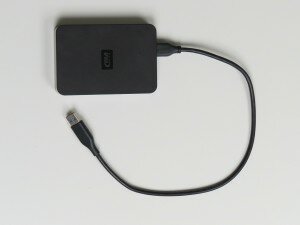 Purchase a USB drive, or an external hard drive that’s easy to use. Simply plug the device into your PC or Mac; identify which files and folders to backup; and start the backup process. It’s important to note that not all USB drives are created equal, so be sure to do your research and find a quality option that features plenty of storage space. USB drives are one of your ‘local’ backup options that allow you to store your data, take it with you, or stow away for safekeeping.
 Create a cloud backup, which stores your files online and allows you to access them anytime, anywhere. Password creation is generally part of the process to keep your files secure. Cloud backup is celebrated as one of the most secure and easily accessible (accessible to you, that is) methods available, but it generally requires paying for a subscription. A subscription isn’t the worst thing when it comes to data backup, however. According to
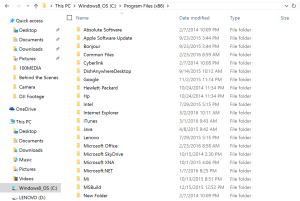 Remember, whatever backup means you select, it’s important to stay organized. If you consistently keep your files and data well ordered, you’ll know exactly what requires recovery and can easily put items back where they belong.
 Successful implementation is all about work/life integration, something that’s replaced the traditional work/life balance. Employees are increasingly put off by the idea of “trudging” to work every day and getting their hours in. Today’s employees want and expect to be as engaged in their work lives as they are in the personal lives, and employers are doing their best to keep up.